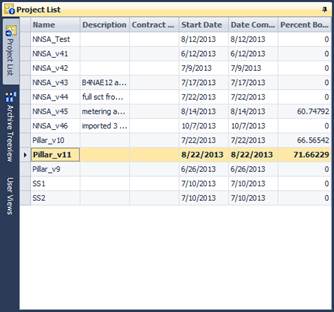
This view allows you to view and select the project that you are working on. When a project is selected, the archive database will be loaded in the archive tree view. You must create a project before an SCT can be imported in the database.
Right-Click Context Menu:
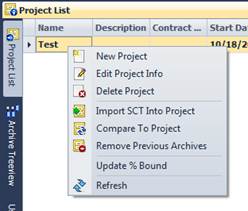
Delete Project
Deletes the selected project along
with it's archive data.
Edit Project Info
Edits the project
information.
New Project
Adds a new project.
Remove Previous Archives
This will remove all
previous archives that have been assigned to a project and never deleted.
Only the current archive for the selected project will remain after this
operation.
Update % Bound
This will recalculate all bound
points in the archive and calculate a % bound figure for the project.
Refresh
Updates the tree view.