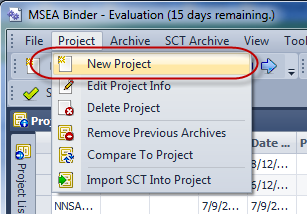
Before an archive database can be imported, you must first create a project to hold the database. Although you can add multiple versions of an SCT database to a single project, as a best practice, you should create a new version of a project if you are receiving an updated SCT database from an existing project. (e.g. project1_v1, project1_v2, etc.)
From the Project menu, select create a new project.
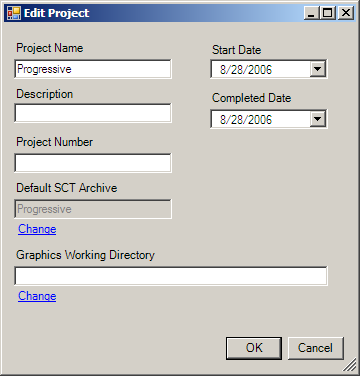
Multiple archives can be imported into a single project.
Project
Name
Enter the project
name.
Description
Enter an optional
description
Start
Date
Enter the date this
project started
Completed
Date
Enter the date this
project was completed.
Default
SCT Archive
Select the SCT
archive database that is linked to this project. The change button will
open the SCT database selector.
Graphics Working
Directory
Path to your
parent graphics folder.