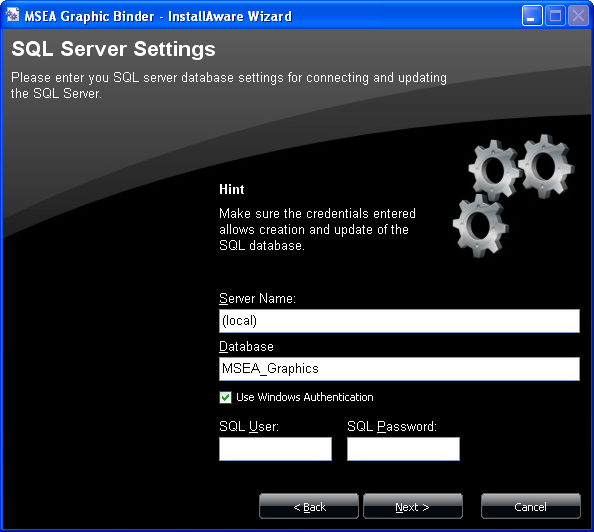
If you selected to do a Complete Install, you will get this SQL server settings dialog.
Enter the information required to connect to your SQL server and create a new database.
Server Name
Enter the SQL server and instance name in the field in the format SERVER\INSTANCE. For installing to the default SQL instance on the local PC, you can enter (local).
Database
The default database name for the application is shown (MSEA_Graphics). If you change this name from the default, you may have to manually configure other aspects of the application.
Use Windows Authentication
Check this to login to SQL server with your Windows account. Make sure your account or your group is entered as a SQL login.
If unchecked, you need to enter the SQL user and password below.
SQL User
Enter the SQL username.
SQL Password
Enter the SQL password