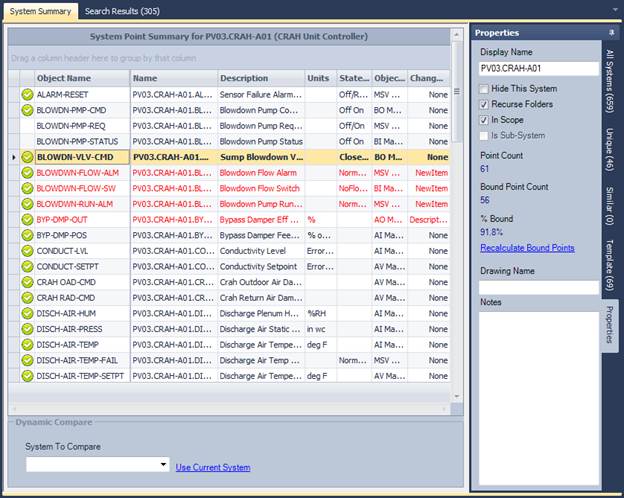
The system summary list show a detailed list of the system objects for the selected system node. From this list, you can select an individual item and the item's object reference will be copied to the clipboard for easy binding.
If an
object is bound already, a visible icon  will be shown. Double-clicking an
object will toggle the status of the bound flag. Generally, the bound flag
will be set from a graphic validation application.
will be shown. Double-clicking an
object will toggle the status of the bound flag. Generally, the bound flag
will be set from a graphic validation application.
Copying Objects, Names, Descriptions
You can also select one or many items in the list, right-click, and copy the items to the clipboard. This is used to copy descriptions to a text field in Visio for showing summary info in a graphic.