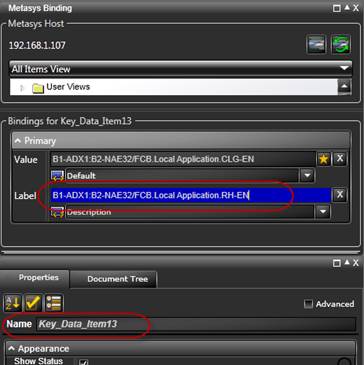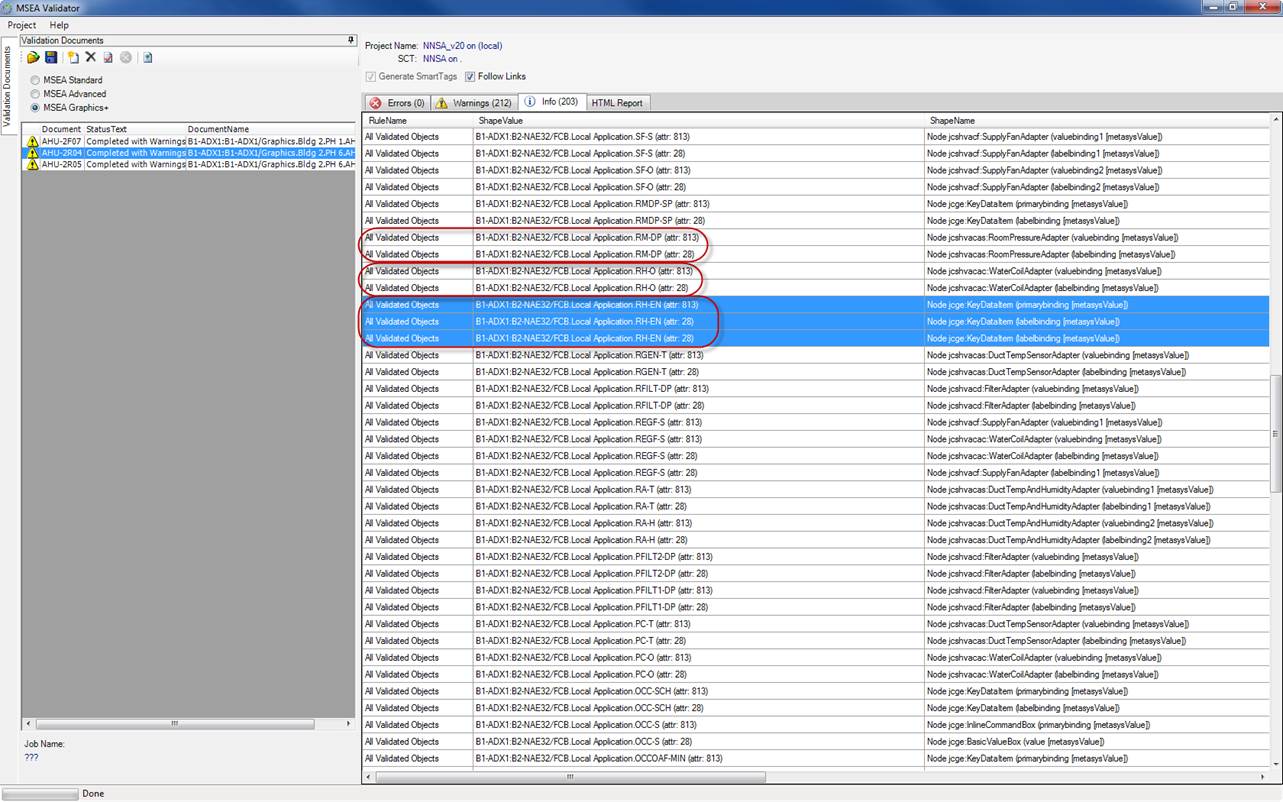
Since every binding should be bound to the present value (attr: 28) and description (attr: 813) in each symbol, you should see patterns of two for each validated item in most cases. Odd numbers should raise a flag that either the description wasn’t filled in or during a copy paste of an object; both items weren’t bound with the same point. The screen shots show the latter case:
In validator: after validation, click on the info tab and click on the ShapeValue column header to sort by item Reference name. RH-EN has 3 entries.
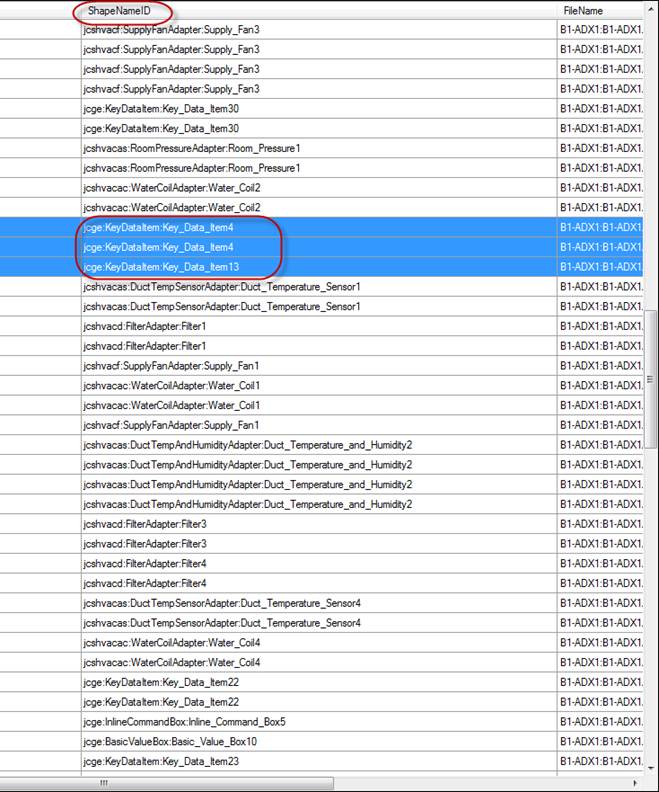
Look at the ShapeNameID to find the actual XAML object name in the GGT. RH-EN = Key_Data_Item4,13
Find the suspect key data item in the GGT. Description wasn’t copied in this case.